


In the marketing for every VR headset and pair of XR glasses released you’ll almost definitely see someone using the device on an airplane, because when you’re crammed into a metal box thousands of feet above the Earth it’s nice to imagine you’re somewhere else – exploring some far-off place or enjoying a movie on a giant virtual screen many times larger than the one built into the seat in front of you.
So tech testers like me always love to try these things out on planes. After giving Meta, Xreal, RayNeo, and a few other XR gadgets a crack while I’m in the air, I thought it only fair I give the Nintendo Virtual Boy its turn.
Article continues below
The Virtual Boy made its debut in 1995, and it is famously terrible. Nintendo is a company of big swings in the gaming console space, resulting in major wins like the Wii, Switch, and Game Boy, but also flops like the Wii U and GameCube. While those ‘failed’ machines have plenty of silver linings, however (I adore my GameCube), the Virtual Boy stands alone as uniquely and wholeheartedly shit.
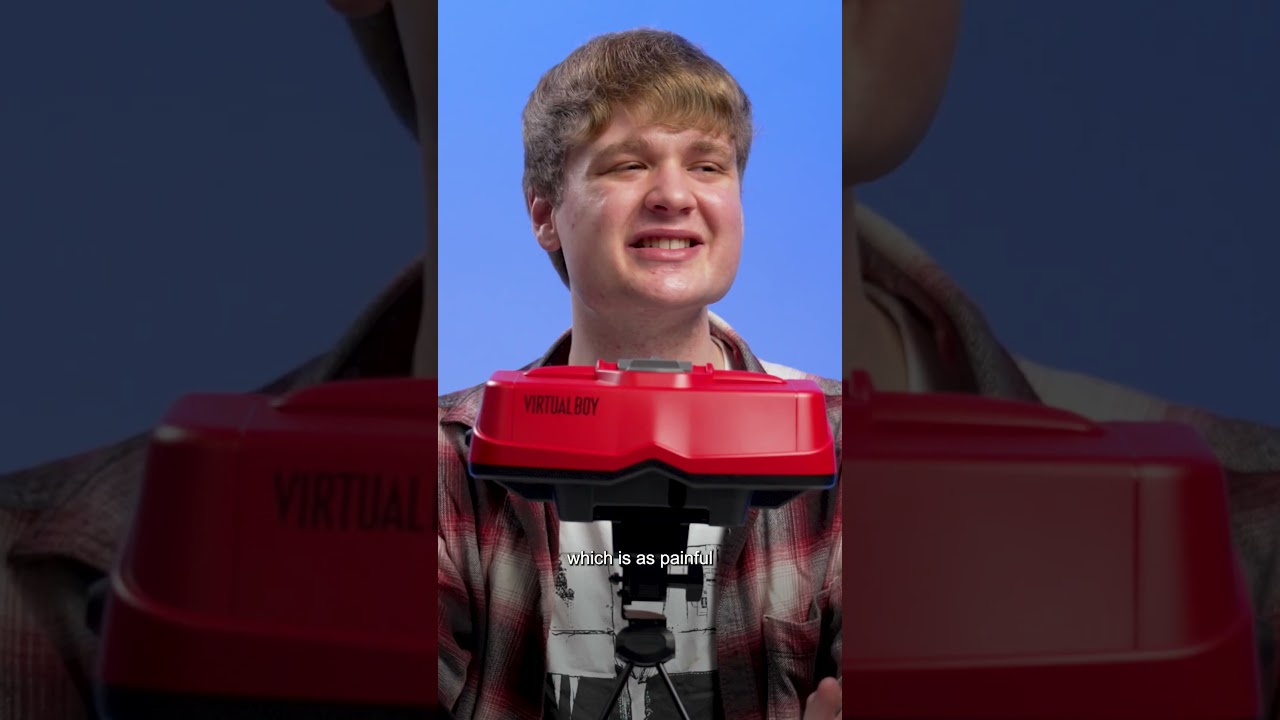
Decades ahead of its time, the Virtual Boy was bulky, expensive, lacking in software, and, to top it all off, headache-inducing.
I’m not testing the original; however, I gave the new and not at all improved version a whirl in the air — it’s a Nintendo Switch 2 accessory for Switch Online members to enjoy the new Virtual Boy virtual console collection.
Before I rag on the hardware too much, let’s start with my first (and singular) kind word on the Switch 2’s Virtual Boy: it works offline. With the app installed, I could play the complete VR collection without a WiFi connection, which is ideal given how expensive and slow the signal can be on a flight. Game streaming over the internet would be a non-starter.
Not cleared to fly
Now for the negatives. Strap in.
Or, ironically, don’t. That’s because my first gripe is how you wear the headset, or more accurately, how you don’t wear it. Far too bulky to be comfortably strapped to a head, the original Virtual Boy perched on a stand so you could peer into its lenses, and while the new model is much lighter, it still relies on a stand.
Resting it on my tray table, the headset’s height is quite low, forcing me to hunch over in my seat to see what’s going on. It’s uncomfortable, and I look even more like a weirdo than VR headset users usually do.
Then there’s the game selection. Much like the original, there aren’t many (at launch, there are seven), and to make matters worse, they’re not all that fun either. Galactic Pinball and Warioland are okay, and there’s a charm to Red Alarm, but generally, I wasn’t enthused to be spending my time in VR.
The airplane became the escape.

The games also gave me a headache, which didn’t help the titles in the entertainment department — quite the opposite. And I say that as someone who regularly uses VR and XR tech who is generally fine with motion sickness and not feeling ill in XR, especially for more mild experiences like these.
Maybe it’s all the red, which is generated by a colored filter placed over the games by the Virtual Boy add-on. Imagine if everything were a vivid primary red all the time, you’d probably get cranky too.
That’s to say nothing of the space it took up in my carry-on, which could have been spared for something more useful. Oh, and to top it off, I got stopped at security and had to fully unpack my bag because of the stand.
While testing it, I also had one inescapable realisation: I could just be playing on my Nintendo Switch 2. I have to bring the console with me to use the Virtual Boy, and instead of this terrible experience, I could instead enjoy the likes of Dragon Quest VII Reimagined, Pokémon Legends Z-A, or Super Mario Wonder, among others.
All that’s to say: leave the Virtual Boy at home. Heck, leave it on the store shelf unless you’re a major VR fanatic or have an affinity for weird 90s tech. This Switch 2 Virtual Boy is a novelty, peaking at shelf decoration, not a flight-ready gadget.
Follow TechRadar on Google News and add us as a preferred source to get our expert news, reviews, and opinion in your feeds. Make sure to click the Follow button!
And of course, you can also follow TechRadar on YouTube and TikTok for news, reviews, unboxings in video form, and get regular updates from us on WhatsApp too.
